
The Versatile Button Control
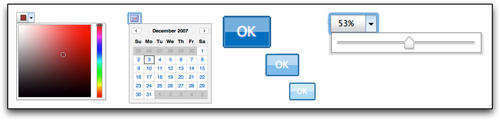
With the release of YUI 2.4.0, there are several new examples designed to demonstrate the Button Control's versatility. By default, the Button Control enables the creation of rich, graphical buttons that function like traditional HTML form buttons. Button also seamlessly integrates with both the Overlay and Menu Controls, making it possible to create both menu buttons and split buttons whose menu can be used to display another YUI control. This extends the developer's toolkit my making it easy to dream up and implement new types of UI controls for web applications.
Menu or Overlay?
Both split buttons and menu buttons incorporate a menu that can be created using either an Overlay or Menu Control. Choose Menu if you want the Button to pop up a traditional menu or a canvas with the default Menu styling. Choose Overlay if you want the basics: a blank canvas with no default style or behaviors — a canvas that can contain any content or UI control. Overlay is also lighter in file size. In either case, you'll have the flexibility of being able to create the menu using existing HTML or script alone, and both Overlay and Menu provide an